I was initially excited by that because I’ve had the misfortune of being given documents where someone basically did an “apply all” with Grammarly, which introduced a large number of significant errors. The author wasn’t a native speaker and assumed they hadn’t learned all of the rules correctly and made the mistake of trusting the tool.
I definitely could have done a better job. Thank you for your suggestion. I will attempt a clearer title from now onwards. I couldn't edit my HN post but I have edited the Github title. Thank you again!
That wouldn't work for me because many of Grammarly's corrections in my documents are clearly wrong. I'm using the Pro version. Grammarly is good for making suggestions but unusable for blind spell checking. It just doesn't know enough words, and some of its grammatical and style features also sometimes go astray.
This is my experience as well. I primarily use it to add missing commas, articles, etc. Sometimes it gives good suggestions for conciseness but I usually accept only about 50% of these suggestions.
That is great. I do a lot of reading before and only leave rooms for general suggestions such as punctuation, caps, spellings. I'd say I accept about 90%-95% of the suggestions.
Particularly in technical or STEM related writing I sometimes need to repeat a word more than what Grammarly likes, and can’t replace it with a synonym because it has a specific meaning (eg “training” in the context of AI). I also try to avoid passive voice as much as possible, but sometimes when talking about software, techniques or processes, it’s the clearest way.
Still, I’m quite happy to have Grammarly’s suggestions.
I'm glad someone else said this. Would you agree that Grammarly is significantly worse than it used to be? This has been my experience lately-- that it makes nonsensical suggestions.
Having found myself doing some proofreading work, I rolled up a few regexes to locate common errors which sped up my workflow and increased my accuracy considerably.
I see. I will attempt more appropriate headlines now onwards. Thank you for sharing. It seems news.yc doesn't allow me to edit the headlines now else would have definitely changed!
Hi Yaur. I had an instance when it started going back and forth between two suggestions that couldn't be fixed. I run the script and I also monitor what's going on to avoid such cases.
Grammarly is wrong so often that I wouldn’t want to automatically apply fixes. My typical Grammarly workflow involves a rejecting most of its suggestions and approving the small proportion that actually make sense.
Mostly agree with you but I'll say it this way: make sure you RE-READ your writing after applying Grammarly's suggestions. I ask this question throughout the re-read: would a human write like this? If not, I toss the suggestion or rewrite. But the suggestions certainly help illuminate moments when neither my writing nor Grammarly's suggestions make sense.
a is predominently singulair, it is grating to see it in collocation with an adverbial phrase involving a quantifier "most", though in the sense that the rejecting is supposed to be one simple train of thought, it has a certain sense of understatement in this case. Still, it's lacking grammatical agreement with the "suggestions", which is a fairly common problem in fact.
It's understandable that a rigid rule of grammar would advise against it. It's called grammarly, not semanticly.
Well, thank you, but that error was the result of a quick rephrasing. I modified one aspect of the sentence to maintain parallelism between the two gerunds without making sure it still made grammatical sense. I should have removed the article. I'm more diligent in a professional context than I am in off-the-cuff HN comments.
(To return the favour, "a is predominently singulair, it is grating to see it in collocation..." includes a comma splice and a misspelling — singulair.)
Other oddities include Grammarly disagreeing with itself. I apply a suggestion, and then Grammarly flags its own change and suggests I change it back to the original or to something else.
Variety in the context of technical document is wrong by default. You are not supposed to use variety of terms, you are supposed to pick one and stick with it.
Indeed, which prompts me to mention one of the most annoying things about Grammarly. It irritates me no end when I deliver technical writing for a client and they respond with a list of "errors" of that sort after they have run it through Grammarly.
What kind of documents are you typing that you wouldn’t want to learn from your mistakes? If you apply more than a handful of “fixes” at once, you cannot see what changed, right? And you also don’t know if the sentences still make sense? Or am I missing something here?
Sounds so odd, right? I use it to apply fixes for transcription of YouTube videos. There, YouTube uses lower case for things without commas, caps, and periods. I use another tool called https://pinetools.com/remove-line-breaks to add those things. Overall, it provides a good output. I do have to monitor so that it doesn't mess some things. Some use cases have tighter deadlines, relatively easier and non-serious suggestions.
Regarding learning from mistakes, I vote that Grammarly definitely teaches us to write better.
Wow! I only knew this now! Thank you. This language is older than my dad. Haha. The founder made it when he was in MIT. This made me wonder if I'll ever do something that will empower people to make something useful in the future. :) (This comment would be a pretty cool foreshadowing if my life were a movie haha)
I agree. It definitely has some "wait what?!" moments. Its that in our subjective experience while using the app, I've largely had suggestions that could do just fine if implemented without my approval. But yes, there are cases where the "fix all" could cause more problems that it solves. :)
Umm hmm... I see so that's your experience. I did come across an instance of endless loops through the tool. My approach is to keep an eye on the kind of suggestions it gives to make sure it doesn't do weird stuff.
Having used both, I find Grammarly much better for English texts. It has things like tone analysis, and in general has more in depth checks than LanguageTool.
LanguageTool, on the other hand, supports more languages and is cheaper than Grammarly. It isn't bad for English texts, and will definitely help you with your writing, but not as much as Grammarly.
It really depends on your needs. I use LanguageTool for my everyday needs, but when I'm writing a blog article, I make sure to run it through Grammarly.
I'm using LT since last year and for me everything works like it should :)
It's open source (I generally don't like Big-Tech), and I'm probably gonna get Premium soon.
And big plus for me: more than 30 supported languages.
i do not use grammarly. been using languagetool in my libreoffice/kde neon but someday it works, someday it does not work. other than that, when it works it just works as advertised.
I am surprised no one ever gamified English exercises tailoring the learning experience on the basis of mistakes done by each individual user. You can identify clearly all your weakness, Grammarly fix the, why not building up exercises to fix them at its root?
dear __boos, I absolutely agree. Seeing how Grammarly suggests fixing in your writing has improved my writing too. How about we see this tool as something to apply when the job needs done and the suggestions are usually acceptable? Regarding those exercises portion, I am out of ideas as of now.
Grammarly ads say that they will help you to appear more articulate than you are, so that you can land jobs where articulacy is required. It stumps me a bit, always.
Appreciate showing this, I get how a one-click moment is what you need. Though my limited usage of Grammarly (few days). Even I have picked up a few - hmmm's in what it wants to change.
I agree. For example, I had a text that said "grandpa grandma" and it suggested "grandpa's grandma!" Clearly not what I had in mind haha. But I am very happy that in my writing, it has showed me almost 98% proper fixes! I love that part of it.
if (document.querySelector('.cards-replacements_labels-itemRemove') !== null) {
var newclass = document.querySelector('.cards-replacements_labels-itemRemove');
For chrome or brave browser, go to your grammarly web, press F12 and paste that code. It will open what is called Console.
For Firefox, press F12, and you'll see tabs starting with "INSPECTOR, CONSOLE, ..." Press console and paste the code. I haven't tried it for firefox as my primary browser is chrome.
I've pasted the readme file for your convenience.
1. Go to Grammarly Web app
2. Go to Editor Settings, turn on "Auto-jump to the next suggestion"
3. I made it primarily for the "Correctness" tab in Grammarly. It also works for others.
Please know that I'm eager to reply to your queries here and help you. This tool definitely helps. :)
Hi taf2, yeah, now that you've pointed it out, I kinda understand it. I wrote the code in Ubuntu's text editor. I was in a rush to get my job done in time.
However, now that you've pointed it out, I fixed it. Credit for this formatting goes to you :)
WOW! That's amazing! I just learned about bookmarklets, and made one for this script. It requires us to remove the comments. Else it works like a charm! I love it. Many thanks! :D


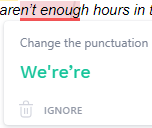
But as i understand, its enabling a 'I'm Feeling Lucky' kinda blanket fix on a document.
Consider revising title.